
Filmmaking isn’t just about operating cameras and framing the perfect shot—it’s also about building the backend infrastructure that keeps a production company running smoothly. Recently, we overhauled our Arctos Media backend systems to streamline our workflows. To do this, I heavily relied on Anthropic’s Claude AI models.
But here’s the catch: Anthropic ships their underlying model through several very differently shaped doors. You have a chat window, a terminal tool, an agentic desktop assistant, and even a phone-based remote control. Because they share a name—and often share infrastructure—it’s incredibly easy to conflate them.
After hitting the seams in practice—like an SSH command that refused to run from inside a sandbox, or a skill that didn’t show up where I assumed it would—I mapped out exactly how these surfaces relate. I fact-checked this against the latest 2026 releases so you don’t have to.
1. The Surfaces: Where Does the AI Live?
- Regular Chat (Web, Desktop, Mobile App): This is the same chatbot everywhere. Same models, same conversation, synced live across every device. There are no local files, no shell access, and no agentic task execution. It’s best for quick questions and back-and-forth brainstorming.
- Projects: Think of this as a workspace container. It gives you custom instructions, a persistent file knowledge base, and a scoped list of chats. Every conversation started inside a Project inherits its instructions automatically.
- Claude Cowork: This is the agentic mode for multi-step knowledge work, like organizing files or synthesizing research in an isolated sandbox. Crucially, it runs on Anthropic’s servers, not your local machine. That means no real network access and no SSH—a constraint you’ll hit the moment you try to connect to a remote server or pull media from an external NAS directly through it.
- Claude Code (CLI or Desktop App): This is the powerhouse developer tool. It gives Claude a real local terminal, real filesystem, and real network access. Whether you use the CLI or the desktop GUI, they run the same engine and share configuration files (like your
CLAUDE.md, MCP servers, and skills). - Dispatch & Remote Control: Dispatch is a phone-to-desktop bridge. It lets you assign a task from your phone that gets routed to your desktop (spinning up either Cowork or Claude Code based on the task). Remote Control is the reverse: it connects your phone to an already-running Claude Code session on your specific machine, letting you watch or steer it remotely.
- Claude Design (Anthropic Labs): The visual surface. You describe or show what you want and Claude produces real design work: prototypes, slide decks, one-pagers, marketing collateral. It reads your codebase or Figma to pull your actual design system, then hands the finished piece to Claude Code as a build-ready bundle. Still a research preview.
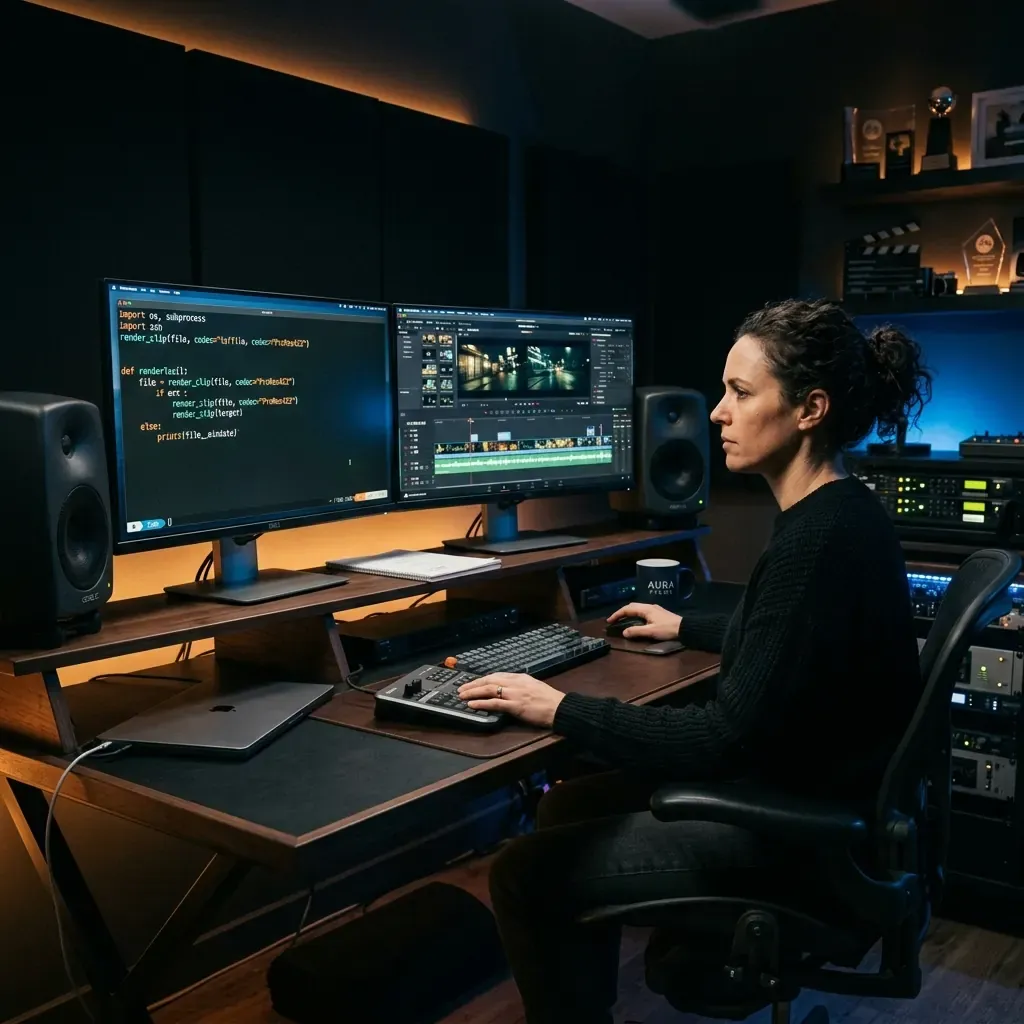 Running a production company now means living in both timelines — the edit bay and the terminal.
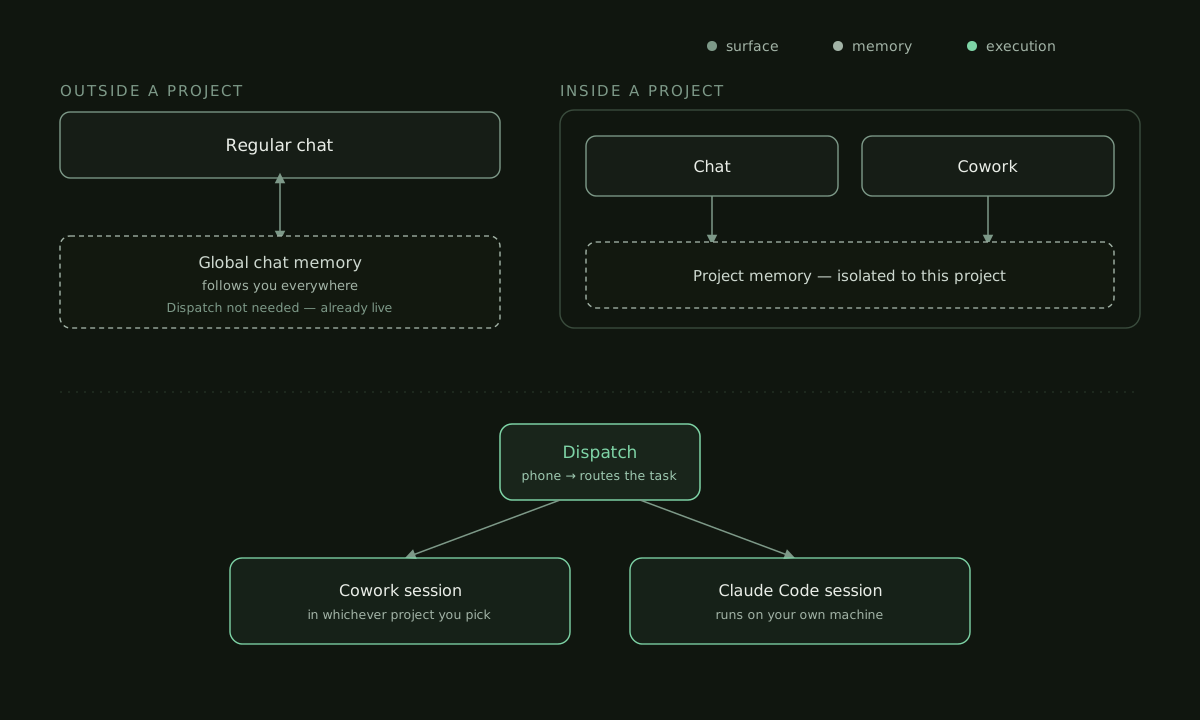 The five surfaces, the memory pools each one can touch, and how Dispatch routes a task into an execution session.
2. Memory: Three Pools That Don’t Talk to Each Other
This isolation is by design, not a bug. Anthropic scopes memory so client work can be walled off.
- Global Chat Memory: Builds up from standalone conversations outside any Project. This is the only pool a regular chat can read or write.
- Project Memory: Scoped strictly per Project. A chat or Cowork session inside “Project A” shares an isolated memory pool; nothing learned there reaches “Project B.”
- No Memory at All: A Cowork session started outside of any Project just starts blank, every single time.
The Practical Rule: If you want Claude to remember something long-term about a specific client shoot or project, that work needs to live inside a Project. If you want Claude to remember something about you (your preferences, your overall style), that has to happen in a regular chat, outside any Project.
3. Choosing the Right Tool for the Job
Here is my mental cheat sheet for choosing the right surface:
- Brainstorming a shot list or thinking out loud: Use Regular Chat. It’s already synced everywhere.
- Writing a multi-step production deliverable (call sheets, research synthesis): Use Cowork. It’s agentic and produces real files, but stays sandboxed.
- Configuring an SSH server, terminal commands, or editing a real codebase: Use Claude Code. It runs directly on your machine with real network access.
- Assigning tasks while away from your desk: Use Dispatch.
- Mocking up a pitch deck, client one-pager, or a landing page before you build it: Use Claude Design. It matches your brand and hands the result to Claude Code to build for real.
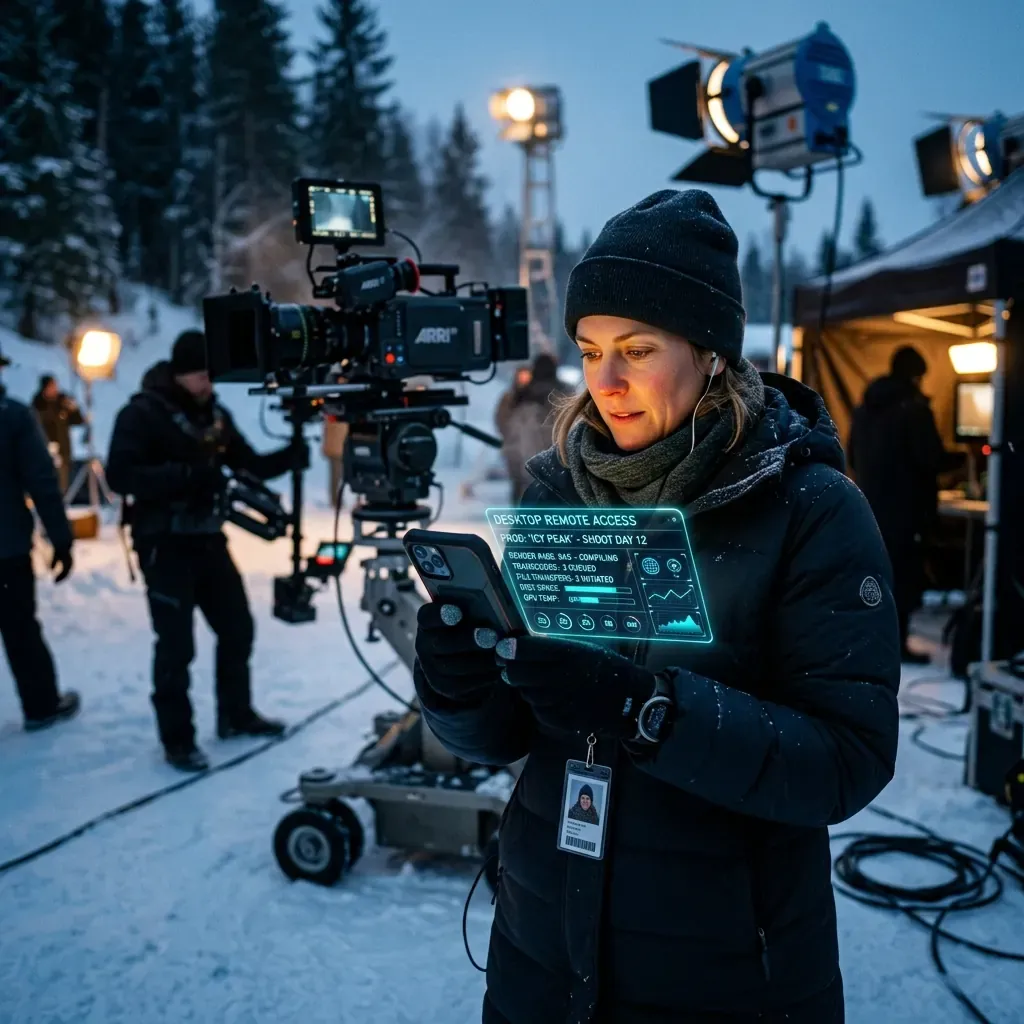 Dispatch lets you hand a job to your desk machine from a location set, then get back to the shot.
4. Skills and MCP Connectors
A skill or a Model Context Protocol (MCP) connector doesn’t automatically follow you everywhere.
- Account Level (claude.ai): Installing here covers both Regular Chat and Cowork.
- Claude Code Level: This is entirely separate. You have to install plugins via the CLI (
/plugin install) or your project’s.mcp.json.
This is why a specialized MCP connector—like one that gives an AI assistant access to live external metrics or proprietary databases—only makes sense to install in Claude Code or your IDE. It will never appear in a Cowork session.
5. Claude Code Across Machines
When we sync our Arctos Media repositories between laptops on set and our heavy-duty office PCs, Git syncs the code. But it does nothing for the AI’s context window. The conversation history of a Claude Code session lives locally.
To bridge that gap, you either use Remote Control to reach into the session running on that specific machine, or you commit CLAUDE.md and auto-memory files directly to the repo. Since they are text files, Git syncs them for free, carrying your standing context between machines.
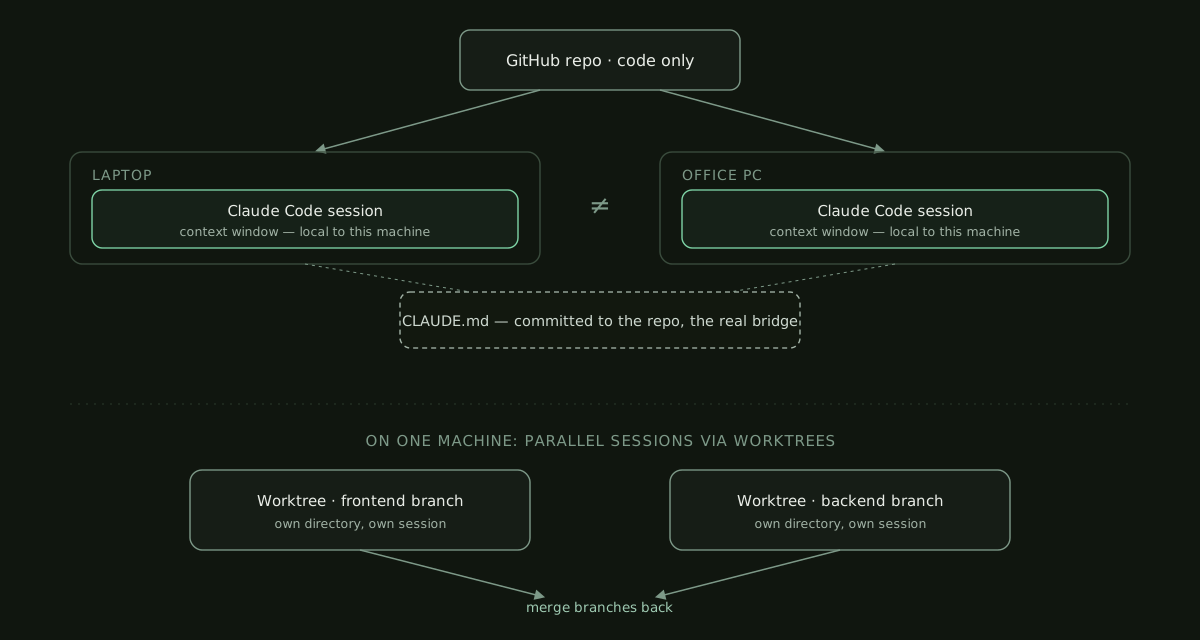 Git moves your code between machines; it does not move a session’s context window. CLAUDE.md is what actually crosses the gap.
6. Claude Design: The Surface That Builds What You Pitch
Every production shop runs on visual work that never makes the reel. Client one-pagers. Pitch decks. A campaign landing page. Thumbnail comps for a launch. For years that meant bouncing between Canva, Figma, and a freelance designer who was booked until next Thursday.
Claude Design is Anthropic Labs’ answer to that gap. You describe what you want, or hand it a rough image, a PowerPoint, even your live website, and it produces the actual visual work: prototypes, slide decks, one-pagers, marketing collateral. It runs on Opus 4.7, Anthropic’s strongest vision model, so it reads what you show it instead of guessing at it.
Here is the part that matters for brand work. Point it at your codebase or your Figma file and it pulls your real design system: your exact colors, your type scale, your spacing rules. Then it applies that system to whatever you make next. No more decks that look almost like your brand. There is also a web capture tool that lifts elements straight off your existing site, so a mockup reads like the real product, not a stock template.
When the design is done, Claude Design packages it into a handoff bundle. You pass that to Claude Code with a single instruction, and the same tool from Section 5 builds the real interface. You design on one surface and ship on the other, with no redraw in the middle.
Set your expectations on access. It is a research preview right now, open to Pro, Max, Team, and Enterprise plans, and on Enterprise it stays dark until an admin turns it on. It also draws from the same subscription limits as Code and chat, so a heavy design day eats into the same pool you use for everything else.
For a shop like ours, that quietly collapses a two-day design-to-dev loop into an afternoon.
Understanding this ecosystem means you stop fighting the tools and start letting them handle the heavy lifting—so you can get back to what really matters: telling incredible stories.
Stay efficient, — Akeel